Best Stremio Alternatives in 2026 – 7 Apps We Tested and Compared

Looking for the Best Stremio Alternatives in 2026? We tested popular options including Nuvio, Kodi, CloudStream, Syncler, STRMR, Jellyfin and Plex to see which ones actually replace Stremio and which are better for a different type of streaming setup.
The biggest difference is simple. Some apps are built around add ons and source aggregation, while others manage your own media library. If your main goal is live TV, news and sports, a dedicated IPTV subscription may make more sense than switching from one on demand app to another.
How We Tested These Stremio Alternatives
We tested the alternatives on real streaming hardware, including Firestick, Android TV and Windows. We focused on setup, content access, live TV support, sports, device compatibility and the real cost once subscriptions or debrid services are added.
- Stremio replacement: Does the app actually replace the way Stremio works?
- Live TV and sports: Can it handle live channels or do you need another service?
- Setup: How easy is it to get running on a TV device?
- Cost: Are there extra fees for debrid services, premium plans or multiple devices?
Best Stremio Alternatives in 2026
| Alternative | Best For | Live TV / Sports | Cost |
|---|---|---|---|
| Nuvio | Closest Stremio replacement | Weak | Free |
| Kodi | Complete media center | With PVR/add-ons | Free |
| CloudStream | Open-source Android users | Weak | Free |
| Syncler | Debrid users | Weak | Free, Plus from $15/year |
| STRMR | Debrid library management | None | Free beta |
| Jellyfin | Personal media libraries | With tuner/add-ons | Free |
| Plex | Personal library and free channels | Limited | Free tier, paid options |
| IPTV Subscription | Live TV and sports | Strong | Paid |
1. Nuvio, The Closest Stremio Replacement
Nuvio is probably the easiest choice if you want something that feels like Stremio. It can read Stremio-compatible manifest URLs, meaning existing add ons can be carried over without rebuilding the entire setup.
It also adds useful features such as separate profiles, customizable home screen rows and direct debrid integration. The main drawback is that the TV version is still developing, so some features may change between updates.
Nuvio is still not a strong live TV solution. If your main goal is sports, news and hundreds of live channels, you will need a separate IPTV solution.
2. Kodi, Best for Complete Control
Kodi is one of the most flexible options on this list. You can change the interface, install add-ons, use PVR features and turn it into a complete media center for your TV.
The downside is maintenance. Add-ons can stop working, repositories can disappear and fixing problems is usually your responsibility. That makes Kodi more powerful than Stremio, but also more complicated.
Kodi also supports M3U playlists, so you can connect a legitimate IPTV subscription and use Kodi as the player for live channels and sports.
3. CloudStream, Best Open Source Android Option
CloudStream is a free, open-source Android streaming app with an extension-based setup. It has no ads in the app and is popular with users who prefer an open-source approach.
You install repositories and extensions inside the app, which then provide the available sources. Debrid services can also be connected to improve playback and link quality.
CloudStream is mainly focused on on-demand content and does not provide a strong live TV experience. It is therefore not a direct replacement if sports and live channels are your priority.
4. Syncler, Best for Existing Debrid Users
Syncler is a good fit for users who already have a debrid service. The basic app is free, while Syncler Plus adds additional features and device support depending on the plan.
The app relies on third-party provider packages to find content, so the experience can be much better when paired with a supported debrid service. Without one, the available results may feel limited.
Like several other options here, Syncler is mainly designed for movies and shows rather than live TV and sports.
5. STRMR, Best for Debrid Library Tracking
STRMR takes a different approach. Instead of trying to be another source aggregator, it focuses on watchlists, viewing history, Trakt integration and access to content stored through supported debrid services.
This makes it useful if you already have a large debrid library and want a cleaner way to browse it on your TV. However, it does not work like Stremio’s add-on system.
STRMR is also more limited in device support, so check compatibility before making it your main streaming app.
6. Jellyfin, Best for Your Own Media Library
Jellyfin is a free, open-source media server designed for people who already have their own movies, shows and recordings. You host your library on your own hardware and stream it to supported devices around your home.
Live TV can also be added through compatible tuners and M3U-based setups. This gives Jellyfin more flexibility, but it is still very different from Stremio.
Choose Jellyfin if you want your own private media library. If you are looking for an app that automatically finds new content, it is not the closest Stremio replacement.
7. Plex, Best for Personal Libraries and Free Channels
Plex is another strong option for users who already own a collection of movies and TV shows. You can run Plex Media Server on a computer or NAS and access your library through apps on streaming devices.
Plex also offers free ad-supported movies, shows and live channels. However, its main strength remains personal media management rather than replacing Stremio’s add-on based approach.
If your main goal is streaming your own files, Plex is worth considering. For third-party source aggregation, the earlier options are closer to what Stremio provides.
Where a Real IPTV Subscription Beats Stremio Alternatives
This is where your choice really depends on what you watch. Nuvio, CloudStream and Syncler are useful for on-demand streaming, but they are not designed to provide the same live TV experience as a dedicated IPTV service.
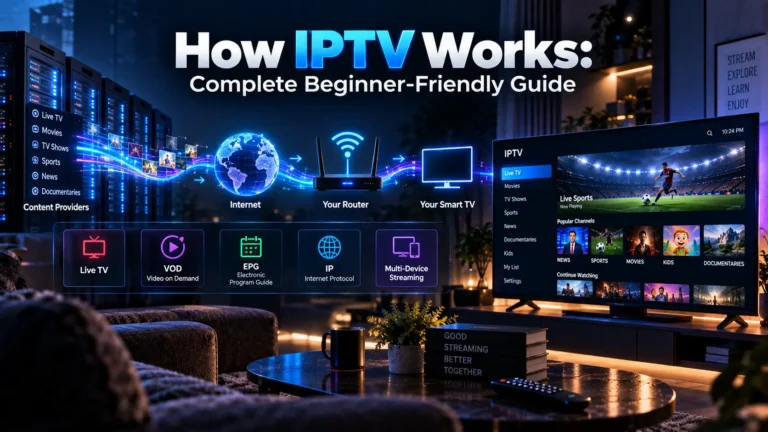
If you want live channels, news, sports and an electronic program guide, a maintained IPTV subscription is usually the more direct solution. You can also use IPTV with apps such as Kodi or other compatible IPTV players.
Check our best IPTV subscription providers guide if live TV is the main reason you are considering leaving Stremio.
For device-specific setups, you can also read our guides for IPTV on Chromecast and IPTV on Samsung TVs.
Honorable Mentions
- Arvio: Supports Stremio add-on URLs and can connect with several media libraries and M3U live TV setups.
- Weyd: A polished interface aimed at users who already use supported debrid services.
- Debrid Stream: Focused on users who want to browse and manage content through a debrid account.
- Stremize: Works more like a companion player for debrid content and IPTV playlists than a direct Stremio replacement.
Should You Actually Leave Stremio?
For many users, replacing Stremio completely is not necessary. Running another app alongside it can give you more options without losing a setup that already works.
- Stay with Stremio if your current add-ons work well.
- Try Nuvio if you want a similar experience and your Stremio add-ons are the main concern.
- Choose Kodi if you want more control and do not mind maintenance.
- Add IPTV if your main requirement is live TV, news or sports.
- Choose Jellyfin or Plex if you mainly want to organize and stream your own media collection.
Are Stremio Alternatives Legal?
The apps themselves are software tools and do not automatically make the content you access legal or illegal. What matters is the source and whether you have permission to access or distribute the content.
Using a media server for content you own is different from using an extension that provides copyrighted content without permission. The same principle applies to IPTV. Choose providers that clearly explain their licensing and content rights.
Do You Need a VPN?
A VPN can add a privacy layer by encrypting your internet traffic and hiding your IP address from websites and other network observers. It does not, however, make unauthorized streaming legal.
This is especially important with torrent-based sources, where your IP address may be visible to other participants. Always consider the source you are accessing and use legitimate services where possible.
Final Verdict
There is no single best Stremio alternative for everyone. Nuvio makes the most sense if you want a similar experience, while Kodi is the stronger choice for users who want complete control over their setup.
Jellyfin and Plex are better for personal media libraries, while CloudStream, Syncler and STRMR target more specific streaming needs. But if your real goal is live channels, news and sports, a reliable IPTV subscription is the more direct solution.
FAQ’s
Nuvio is one of the closest replacements because it supports Stremio-compatible add-on manifests. Kodi is better for users who want more control, while an IPTV subscription is more suitable for live TV and sports.
Yes. IPTV subscriptions can provide live channels and sports through compatible IPTV players, Kodi and other supported applications. You can also keep Stremio and use IPTV separately.
Only with certain apps. Nuvio and some newer alternatives support Stremio-compatible manifest URLs, while Kodi, Jellyfin and Plex use their own systems.
A dedicated IPTV subscription is generally a better option for live TV and sports. Kodi and Jellyfin can display IPTV playlists, but you still need a suitable IPTV source.
Kodi offers more customization and control, but it also requires more maintenance. Stremio is usually easier for users who want a simpler setup.
Not really. Jellyfin is mainly designed for managing and streaming your own media library, while Stremio focuses more on content accessed through add-ons.